
For partner businesses and Trainers
Open your store in the Shop.
The Market in Brevard NEXT has a Shop where local businesses and Trainers sell to members. Your store is included in what you already pay, and the app takes no cut. This is the walk-through, one picture per step.
No cut. No extra fee.
A partner's store comes with its $5 sponsorship; a Trainer's with the Personal Training Suite. The money from a sale is yours, paid to you.
Checkout is coming soon. Stock your store now, and members see it and how to reach you the day it opens.
Updated 29-Oct-2026. The pictures are from the app as it is today.
Open your store
A partner does this from the business pages; a Trainer from Coaching tools on their group's suite card, on the phone or on the Desk. The screens are the same.
-
Find Your shop
A partner: sign in to the business pages, and on Home tap Your shop. A Trainer: open your group, then Coaching tools on the suite card, then the Your shop tile.
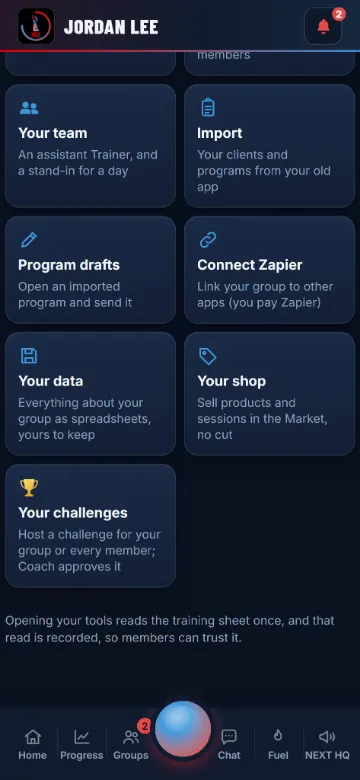
Coaching tools, with Your shop and Your challenges. -
Open my store
Give the store a name, a line about what you sell, and your town, so members sorting by Near you find you. Leave Open ticked so members can see it.
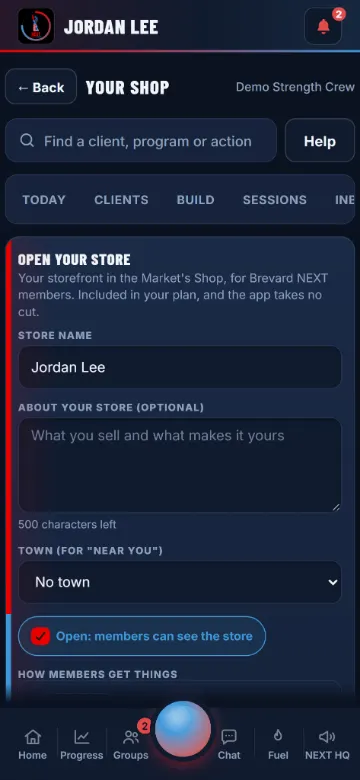
The store form. -
Say how members get things
Tick the ways you offer. Pickup shows your address and hours (a Trainer: use a gym or a public place, never your home). Local delivery takes a fee and the towns you cover. Shipping takes one flat rate; food is never shipped.
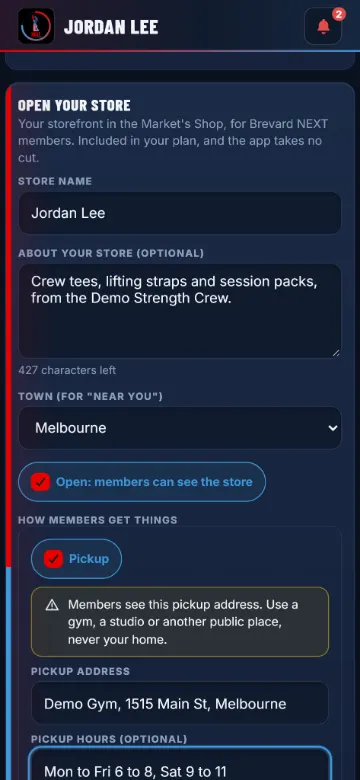
Pickup, Local delivery, Shipping. -
Add a product
Tap Add a product. A title, what it is, a category, the price, and a sale price with its dates if you run one. Options such as sizes each carry their own stock, so a sold-out size disappears on its own.
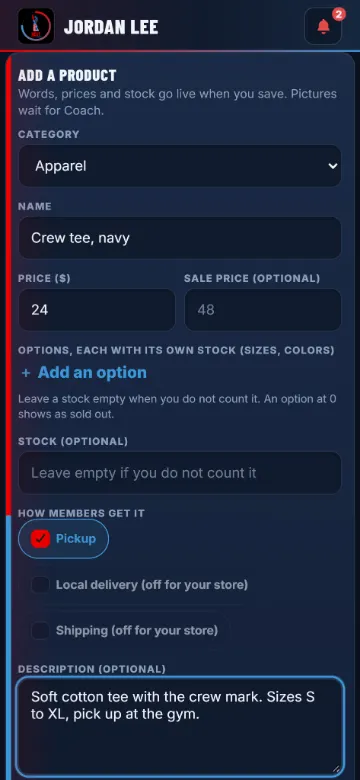
The product form. -
Pictures wait for Coach
Your words, prices and stock go live the moment you save, and Coach gets a note. Every picture, your logo and banner included, waits for his OK first, usually a day or two; if he sends one back, his reason shows under it. Picture uploads open with the next release; the places for them are already on your store.
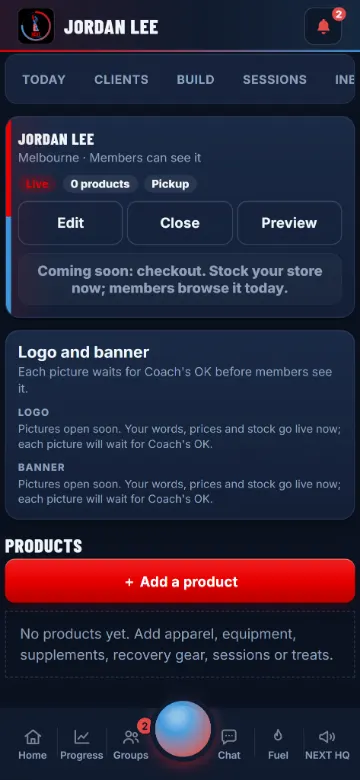
Your store, with the logo and banner places. -
See it as members do
Tap See it as members do for your storefront the way a member sees it: your logo, your banner, your sections, every item with your name on it.
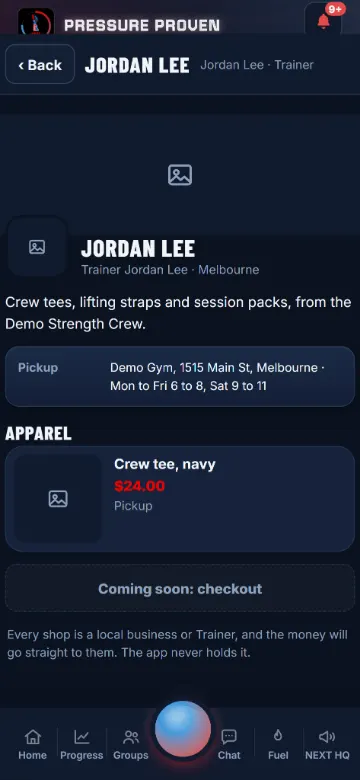
Your storefront.
What sells, and what never does
The same rules for every seller, held in the app itself, so a listing that breaks one is refused as you type.
- Physical products: apparel, equipment, recovery gear, treats.
- Sealed supplements. The app adds the FDA line to every one, and refuses words that claim to treat or cure a disease.
- In-person services: session packs, classes, a fitting.
- Food for pickup or local delivery, never shipped.
- CBD, hemp and THC. Drugs and prescription medicines. Steroids, hormones and SARMs. Kratom, vapes, alcohol, weapons.
- Weight-loss products of any kind.
- Anything digital or used inside the app: programs and plans stay in the app, by the app stores' rules.
- Links, phone numbers and handles in the words. Members reach you from your store page.
Host a challenge, too
A fitness, training, sports, recovery or gear business, and any Trainer with the suite, can host a challenge members join. Food, treats and drinks businesses cannot.
-
New challenge
A partner: Home, Your challenges. A Trainer: Coaching tools, Your challenges. Pick what it counts (workouts done, a check-in streak, a steps streak, minutes a day or a lift), the goal, dates up to six weeks, and a prize if you like: a promo code, a free class or a discount, with a code only a finisher sees.
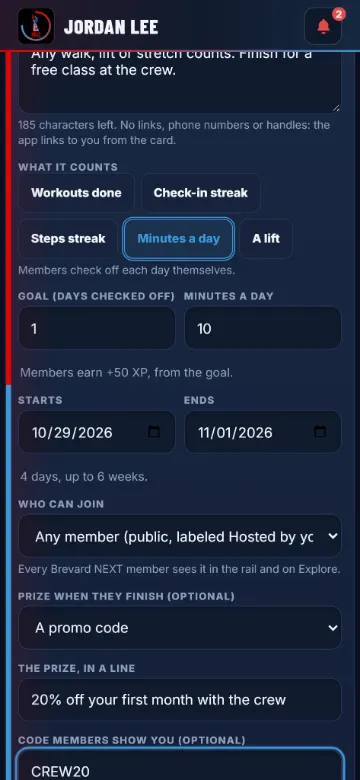
The New challenge form. -
Send it to Coach
Members see it once Coach approves it, in their challenge rail and on Explore, with Sponsored and your name as its first line (a Trainer's public one says Hosted by you). The app sets the XP. You may have two live at a time, and you see joins and finishes as counts, never who.
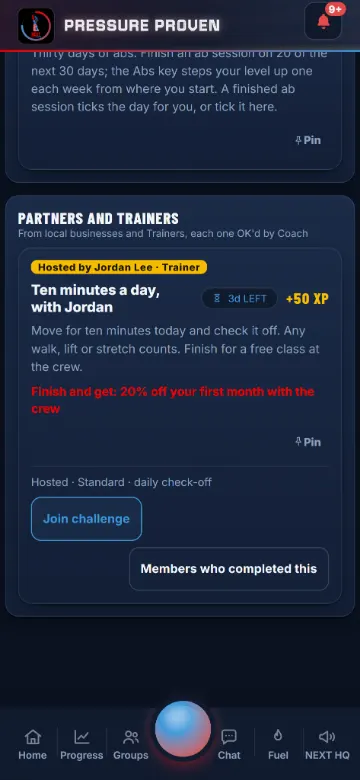
What a member sees. -
When a member finishes
They get the XP, your prize line and its code, and your card: Book a session, your socials and your store. They show you the code; the prize is yours to honor.
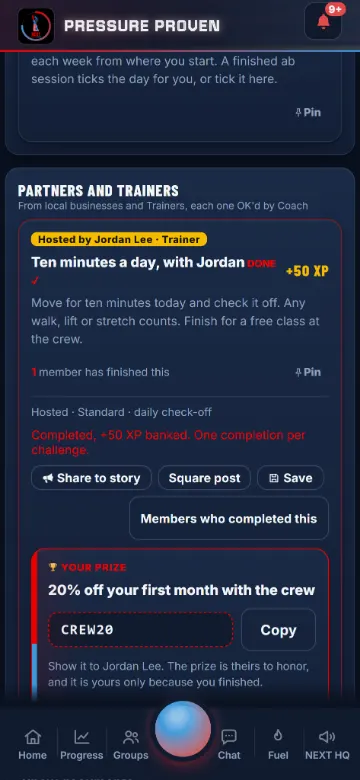
The finish card.
Brevard County only
Stuck on a step?
Coach Jon approves every picture and every challenge himself, and answers questions about the Shop the same day where he can.
- EmailYouthfirstathletics@gmail.comSend an email
- Call or text321-365-5079Call now
- In the appHelp, then Your shop in the Market
Stock your store today
Members see your store and how to reach you now, and buy in the app the day checkout opens.